Partial Payment Invoice: Bill and Track
Bill a partial payment invoice the right way: deposit vs installment, what to show on the invoice, and how to track the balance due.


The job is half done and the client offers to pay part now and the rest later. A partial payment is any payment that covers only part of an invoice, so the unpaid piece stays open as the balance due. To handle it, keep one invoice, record each payment against it, and let the balance fall until it hits zero. Here is how to set up a partial payment invoice and track every dollar.
What Is a Partial Payment?
A partial payment is money received toward an invoice that is smaller than the amount owed. The invoice stays open, and the leftover amount is the balance due. The formula is simple: Balance Due = Total − Payments Received.
Two quick examples:
- A client owes $900 for a water heater swap and hands you $400 in cash. You are owed $500.
- A client agrees to pay a $2,000 landscaping job in two halves. After the first half lands, $1,000 is still due.
Partial payments are the normal way many jobs get paid. They only turn into a problem when nobody writes down what was paid and what is left.
Partial Payment vs. Deposit vs. Progress Payment
A deposit, an installment, and a progress payment are all ways to get a partial payment. They differ in when the money is due and why. Pick by the shape of the job, not by what sounds professional.
| Type | When it is paid | Best for |
|---|---|---|
| Deposit | Before work starts | Jobs with upfront materials, permits, or scheduling |
| Installment | On fixed dates or percentages | Fixed-price work the client wants to spread out |
| Progress payment | At milestones tied to finished work | Big jobs that run for weeks |
| Partial payment | Any time the client pays less than the full invoice | One-visit jobs where the client is short that day |
One payment can wear two labels. A 20% payment before you start is both a deposit and a partial payment.
For deposit sizing, QuickBooks describes 10-20% as a common contractor deposit range, and other invoicing guides run higher for custom work or new clients. Treat those numbers as ranges, not rules. Your own materials cost and risk set the real number.
A deposit gets credited against the agreed total and should never be charged again on the final invoice. Our deposit invoice template guide covers the upfront request in detail. For milestone billing on larger jobs, see progress invoicing.
What Should a Partial Payment Invoice Show?
A partial payment invoice shows three numbers the client can read in two seconds: the total, what has been paid, and what is still owed. Hide any of the three and the client starts guessing.
Here is a worked example for an electrical service upgrade. The numbers are illustrative.
| Line | Amount |
|---|---|
| Contract total | $4,800.00 |
| Deposit received (Oct 1, check) | −$1,200.00 |
| Payment received (Oct 15, bank transfer) | −$1,500.00 |
| Balance due | $2,100.00 |
Each row carries a date and a payment method. That record answers the “did I already pay you?” call before it happens.
Build the invoice around these lines:
- Contract total. The full agreed price, unchanged from the estimate.
- Payments previously received. One row per payment, with date and method.
- Current payment due. The amount you want next, if you set a schedule.
- Remaining balance. The number that updates after every payment.
- Due date. The date the next piece or the final balance is expected.
Keep the final invoice honest too. List the deposit and any progress payments as credits so the last bill shows only what is left. Our guide on the 15 essential invoice fields covers the rest of the layout.
How Do You Bill a Partial Payment?
To bill a partial payment, agree on the split first, send one invoice that shows it, and put the terms in writing. Three steps cover most jobs.
- Set the split. Common schedules include 50/50 for small fixed jobs and thirds for jobs running one to three months. A contractor job might run 30/30/30/10: deposit, materials delivered, substantial completion, and a final piece after sign-off. Those are examples, not legal standards.
- Send the invoice with the full total. Keep the total visible and mark what is due now. Do not invent a new invoice for each slice unless the job is truly billed in stages.
- Agree on terms in writing. Put the dates, amounts, and what happens if a payment is late on the estimate, contract, or invoice.
A short wording pattern works for the invoice note:
Payment 1 of 2 due on signing: $1,200. Payment 2 of 2 due on completion: $1,200. Balance shown below updates as payments are received.
If you want a late fee on missed installments, it must be agreed before the work. Enforceability depends on your contract and your state, so read what you can legally charge for a late payment first, and ask an attorney if the stakes are high.
Some places also restrict how much contractors can collect upfront, so check local rules before you ask for a big deposit.
How Do You Record a Partial Payment From Your Phone?
Recording a partial payment takes four pieces of information: who paid, how much, the date, and the method. You do not need a ledger or accounting setup. Take the payment, log it right then, and the invoice balance updates.
In Pronto Invoice the flow looks like this:
- Open Enter Payment and pick the client.
- Type the amount, the date, and how they paid. Cash, check, bank transfer, Zelle, Venmo, and card are all there.
- Apply the payment to the open invoice.
- Check the new balance, then send the updated invoice or a receipt.
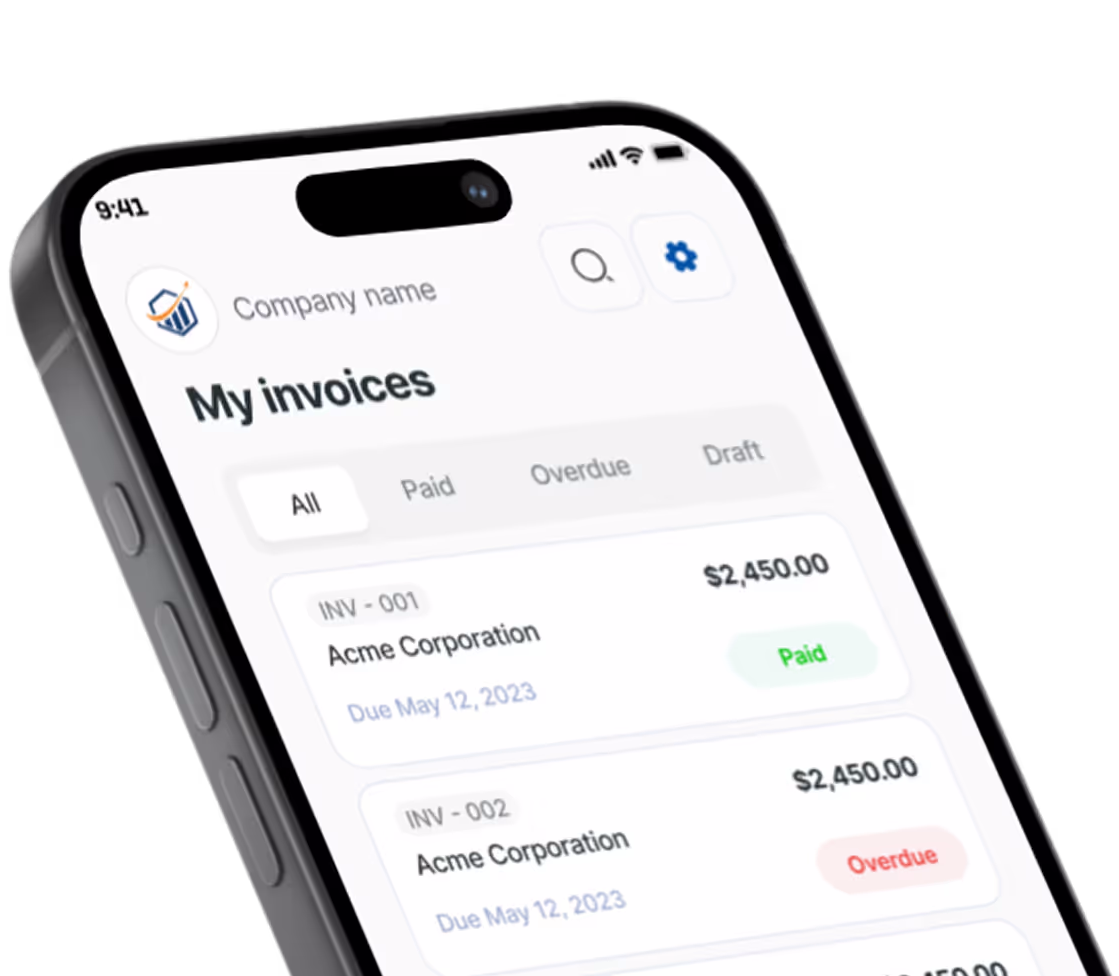
The invoice then shows a Partial status with the remaining balance, and the payment history sits on the invoice with the running balance after each entry. One invoice, one history.
You also decide how money moves. Connect your own Stripe or PayPal account if you want online payments, or just record cash, check, or bank transfer as paid. Pronto Invoice takes no cut of what the client pays you. Plan limits are listed on the pricing page up front, and you can build and preview an invoice before anyone asks you to pay.
Build the invoice while you are still in the driveway, since invoice creation works even with no signal in a basement or crawl space. Read more on sending an invoice the same day.
How Do You Track Partial Payments Until the Balance Is Zero?
Tracking comes down to one habit: record every payment the day it arrives. Skip a day and a cash payment turns into a memory problem.
Use this short routine:
- Log the payment as soon as the money is in your hand or your account.
- Send a receipt for each payment. A receipt confirms the money arrived. It does not say the invoice is paid in full.
- Check open invoices once a week. Our guide to tracking invoices and payments shows a simple way to do it.
- Mark the invoice paid only when the balance reads zero.
What If the Client Overpays?
When a client overpays, you hold a credit for them. Decide with the client whether to apply it to the next job or refund it, and write that down. The rule applies in accounting software too: QuickBooks closes the invoice on an overpayment and leaves the excess as a customer credit or unapplied payment, as its help article on overpayments explains. If you need a formal record of the credit, the credit memo template walks through it.
Stripe’s invoicing docs flag the same edge for card payments: partial payments have limits and overpayment needs handling. See the Stripe partial payments documentation if you take card payments through Stripe.
What If an Installment Is Late?
A late installment gets a reminder first and a firm message second. Send a short, friendly nudge the day after the due date that states the remaining balance. Move to a clear second message if nothing happens. Templates and timing are in automated invoice reminders that work.
If the client stops paying mid-plan, pause further work until the next installment lands. That only works if the pause was in your written terms from day one.
How Do Partial Payments Show Up in Your Books?
Partial payments show up in your books as payments applied to one open invoice. If your bookkeeper uses QuickBooks Online, the payment is recorded through Receive payment, and the invoice stays open with a Partially paid status until the balance reaches zero.
Misapplied or unapplied payments are the usual reason an invoice looks open when it should be closed. Before you hand records over, make sure each payment is linked to the right invoice. You can find more on this in QuickBooks’ help article on invoices that appear open.
Your bookkeeper or CPA can tell you how your own business should treat deposits and partial payments for tax purposes.
Frequently Asked Questions
Is a partial payment the same as an installment?
A partial payment is a status: only part of the invoice is paid. An installment is a scheduled slice of the total. Every installment is a partial payment until the last one lands, but not every partial payment is a planned installment.
Can I charge interest on a partial payment plan?
Only if the client agreed to it in writing before the work, and only within what your state allows. Keep any fee separate from the principal balance and get legal advice for larger jobs.
Do I need a new invoice for every payment?
No. Use one invoice with a running balance and a payment history. Create new invoices only when you bill in stages, such as milestone work.
Keep One Invoice, Keep One Balance
Partial payments stop being messy when you stick to three rules: show the total, log every payment, and update the balance. Start with the split you and the client agree on, put it in writing, and let the invoice do the remembering.
If you want a tool that does this from your phone, try Pronto Invoice. Record the payment, see the balance, and send the updated invoice before you pull out of the driveway.
There is always something more to read

10 Steps to Set Up a Small Business: The Complete Startup Checklist for 2025
Learn 10 steps to set up a small business with this checklist covering LLC, banking, invoicing, insurance, and pricing.

1099 Requirements for Small Business (2026): Complete Guide
$600 threshold is now $2,000 for 2026. Learn 1099 requirements: 1099-NEC, W-9 rules, deadlines, filing.

How to Accept Payments Online
No website needed. Here is how to start accepting online payments as a small business — processors, payment links, and invoicing in one afternoon.