Free HVAC Invoice Generator. No Sign-Up.
Free. No sign-up. No watermark.
What belongs on an HVAC invoice
An AC repair or furnace install invoice gets pulled out of the drawer years later: when the compressor fails under warranty, when a rebate program asks for proof of install, when the house goes on the market. Write every HVAC invoice so the equipment, the refrigerant and the work are on paper. The HVAC invoice requirements guide goes deeper on each field.
Lead with the diagnostic fee
Most no-cool and no-heat calls start with a fee to find the problem. Put it first, and use the details for what you found, such as “Run capacitor out of spec (45/5 µF), condenser fan not starting.” Say whether the fee comes off the repair if the client goes ahead. If the client declines the repair, the line shows what the fee paid for.
One line per unit, with its SEER2 or AFUE
Give each new condenser, furnace, air handler or heat pump its own line, and put the brand, model number, serial number and efficiency rating (SEER2, HSPF2 or AFUE) in the details. Many manufacturers ask for warranty registration within a set window after install, and they want those numbers. Note on the invoice whether you registered the unit or the homeowner needs to.
Charge refrigerant by the pound
Set the refrigerant line’s quantity to the pounds you added, decimals included (2.5), and the rate to your per-pound price. Name the refrigerant in the details, such as R-410A on an older system or R-454B on a newer one. If you found and fixed a leak, say where; a top-off with no leak search on record is a callback waiting to happen.
Maintenance agreements, one invoice at a time
Tune-up plans usually renew yearly and cover a spring cooling and a fall heating visit. The generator doesn’t bill on a schedule, so send the agreement invoice yourself at each renewal and list what it covers in the details: visits, filter changes, priority scheduling, any repair discount. On each visit’s invoice, write “Covered under maintenance agreement” in Notes to client and bill only parts or repairs outside the plan, so the client doesn’t think you billed twice.
Rebates, permits and the paperwork after
Utility rebates and tax credits usually ask for an itemized invoice showing the installed model and efficiency rating. Programs change often and vary by utility and state, so check current terms before you mention one. If a rebate gets paid to the homeowner later, invoice the full price so your paperwork matches theirs. Change-outs often need a mechanical permit too; bill it at cost on its own line with the permit number in the details.
Prefer a Word or Excel file? Get the free HVAC invoice templates. Billing for other work? Use the free invoice generator.
Preview, then download
Hit Preview & Style to open a full-page, print-ready preview of your invoice. Switch the template style and brand color and watch the whole invoice retheme instantly — pick the look that fits your business, then download.
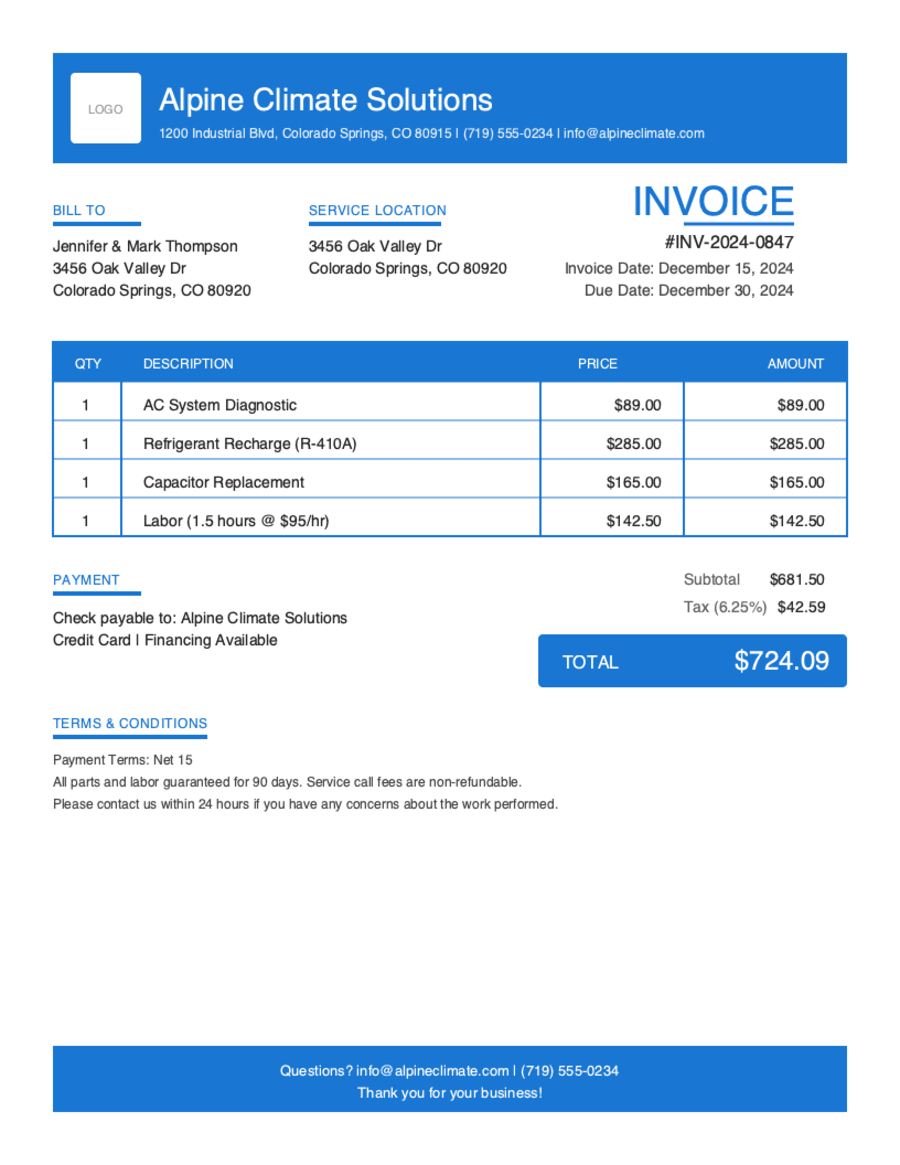
- Build & preview free — design your whole invoice before you share anything.
- Download the PDF free. No sign-up, no watermark.
- This browser remembers your business details and recent invoices, so the next one is quicker.
- Works on any device — build and download from your phone on the job site or from your desk.
Frequently Asked Questions
Quick answers on HVAC invoicing and the generator.
Still have questions?
Contact our support team →Ready to Send Your HVAC Invoice?
Free invoice generator. No credit card. Your draft saves as you type.
Start Your Free Invoice NowGet Started Today
Start simplifying your business invoicing with Pronto Invoice. Download now and send your first professional invoice in minutes.